What a GM Actually Looks at at 6 AM
Three plant manager daily metrics decide whether today needs you: yesterday's safety, the biggest delivery gap and its owner, and the first hour. Five minutes.
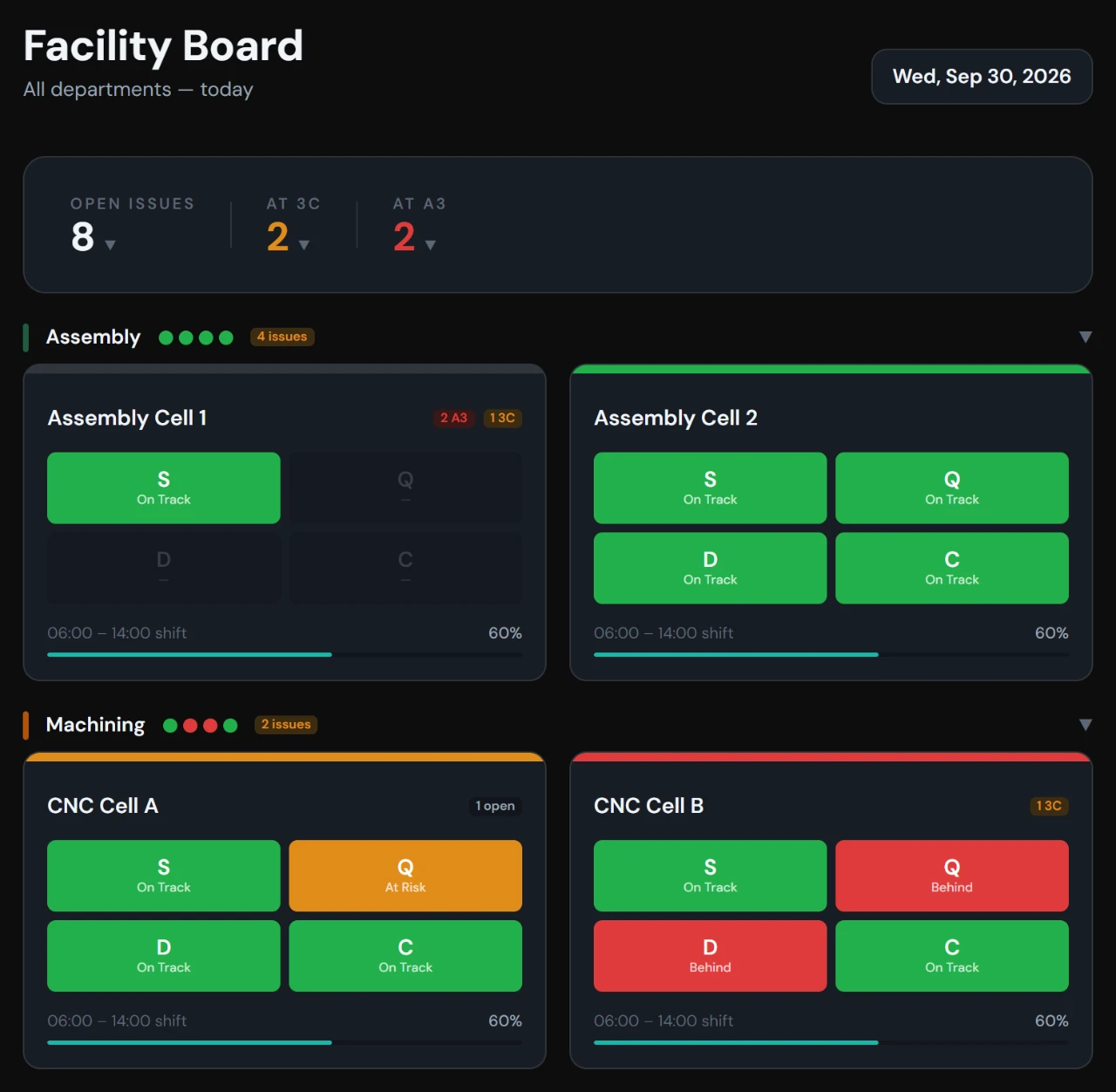
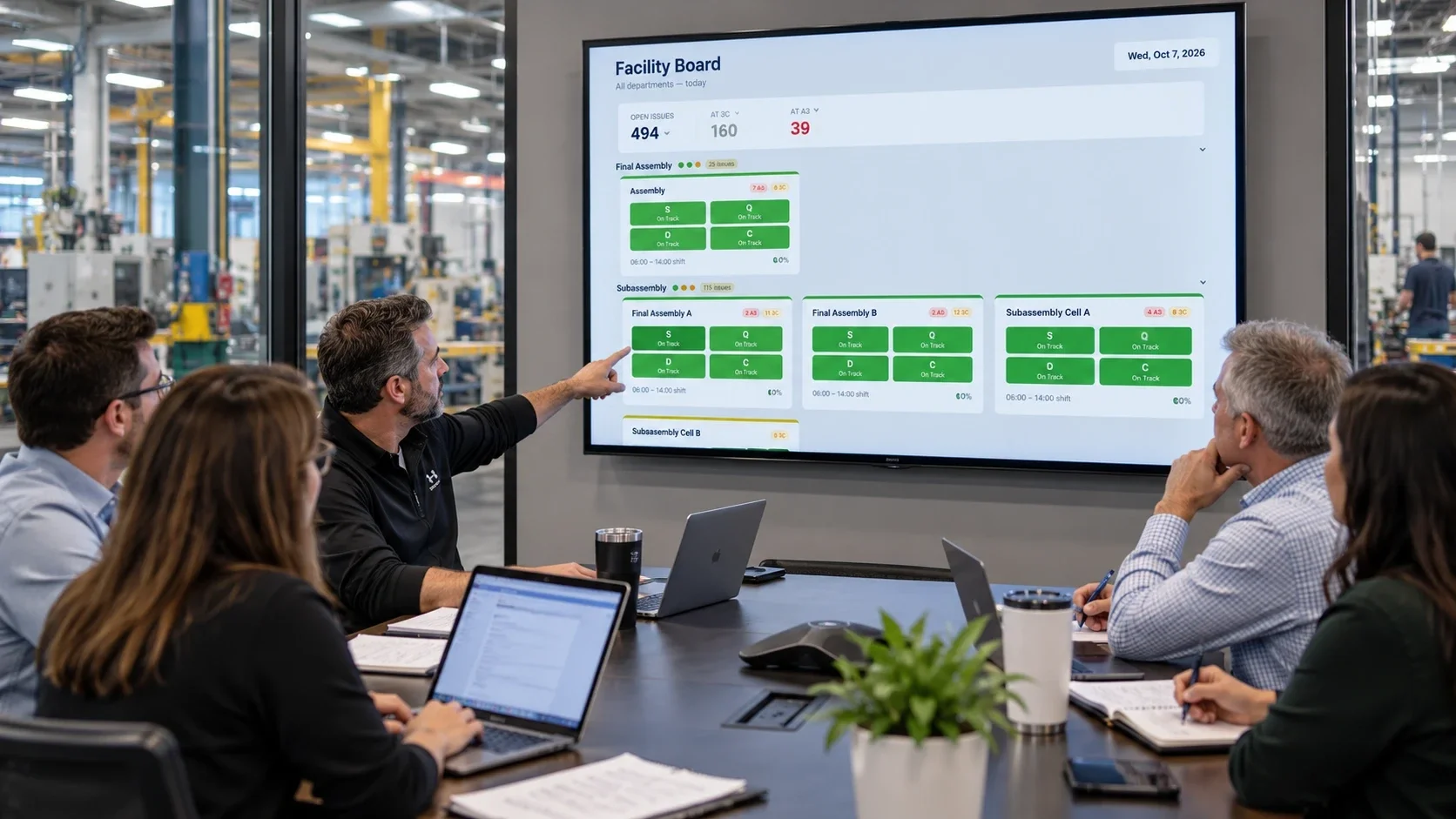
Stop finding out at 3 PM that you lost the day at 9 AM. Each cell gets SQDC, hour-by-hour and 3Cs. One plant view shows every cell's SQDC status and open issues.
Free forever: 1 department, 2 cells, 1 user · No card · Sample board on first login
Runs every morning at a $50M machining and assembly plant17 cells2 shifts150 people
How it started →Somebody copies the whiteboard into Excel at 4 PM. By then the lost hour can't be won back.
It gets mentioned at the huddle and written on a sticky note. Nobody can say how many times it's happened.
Half the meeting goes to reading numbers off the board, not deciding who fixes what by when.
Read: 5 signs your daily management board has become theater →
Real screens from the live demo, not mockups.
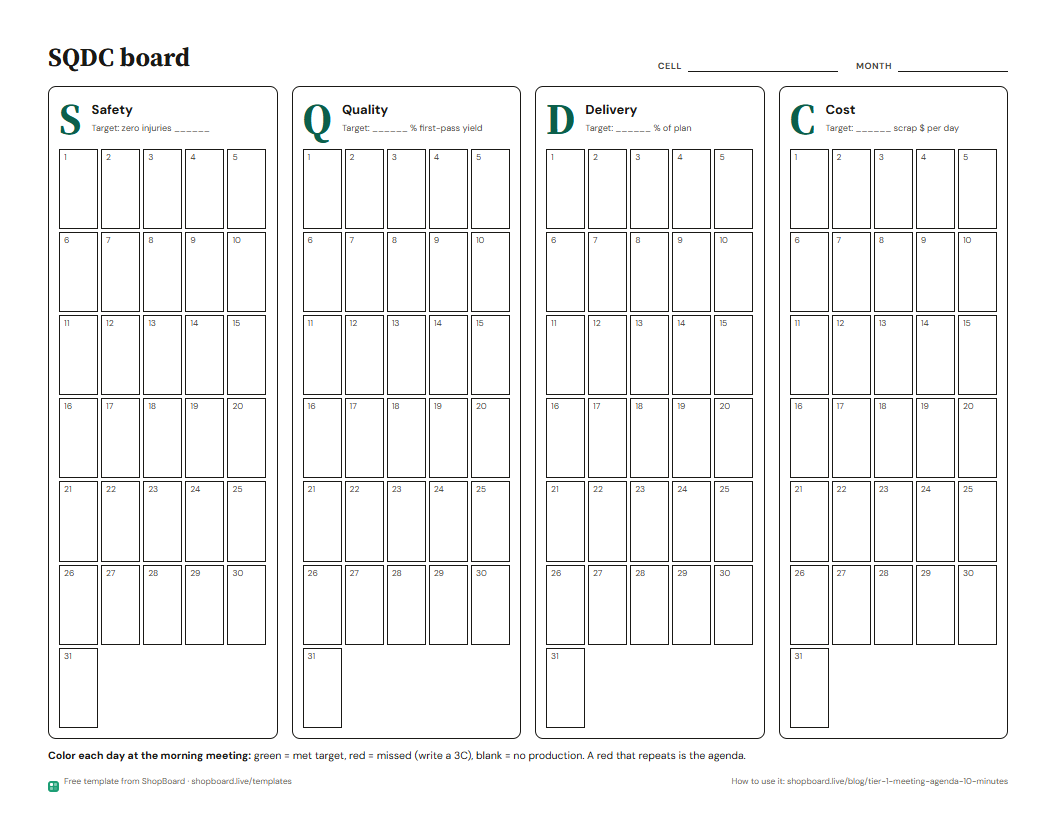
Each cell gets Safety, Quality, Delivery and Cost on one board, with the gap to target on every card. The month view colors each day, so a red streak stands out.
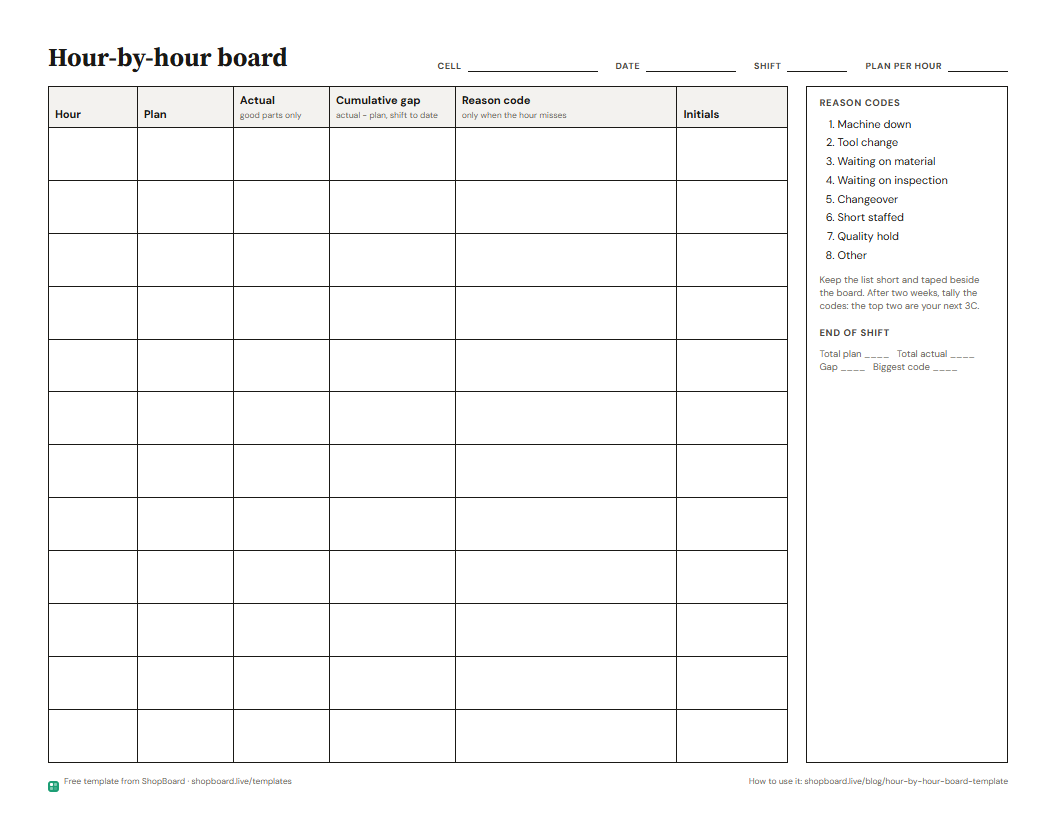
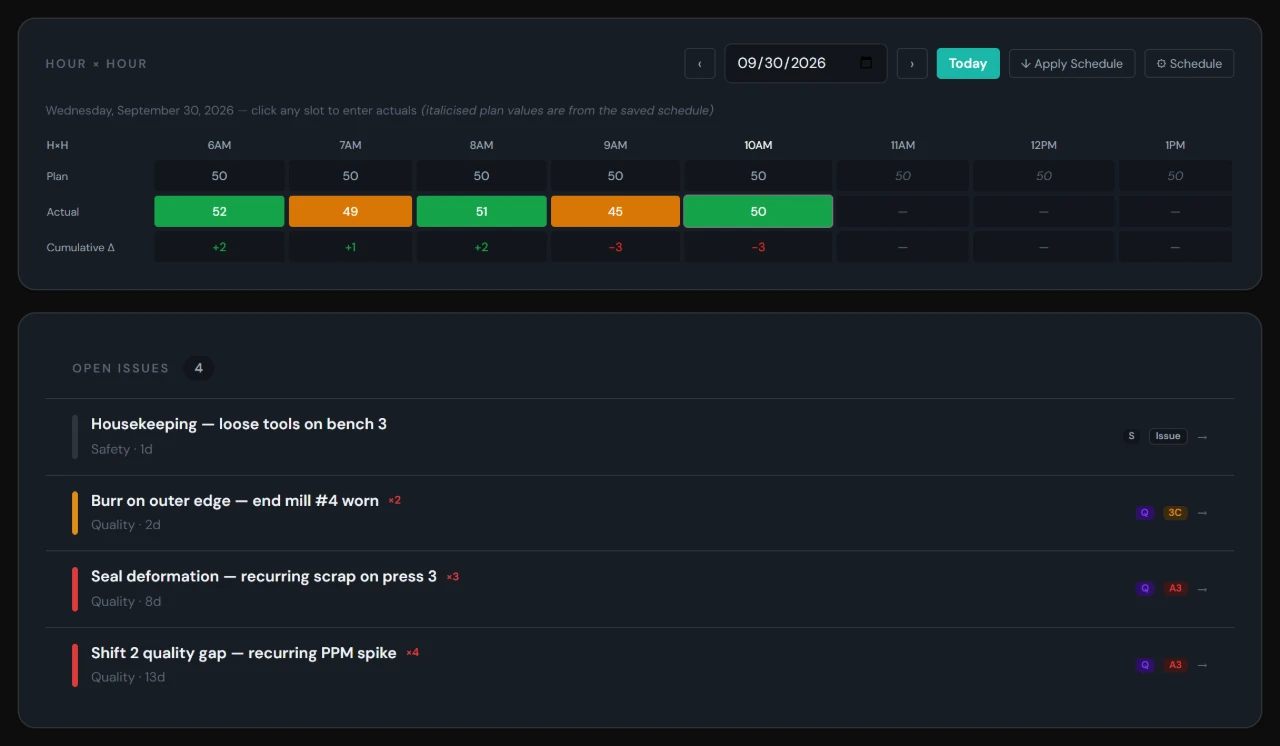
Plan and actual for every hour. Under 90% of plan turns the hour red. The Cumulative Δ row keeps the running gap, so you know at 10 AM how far behind the shift is.
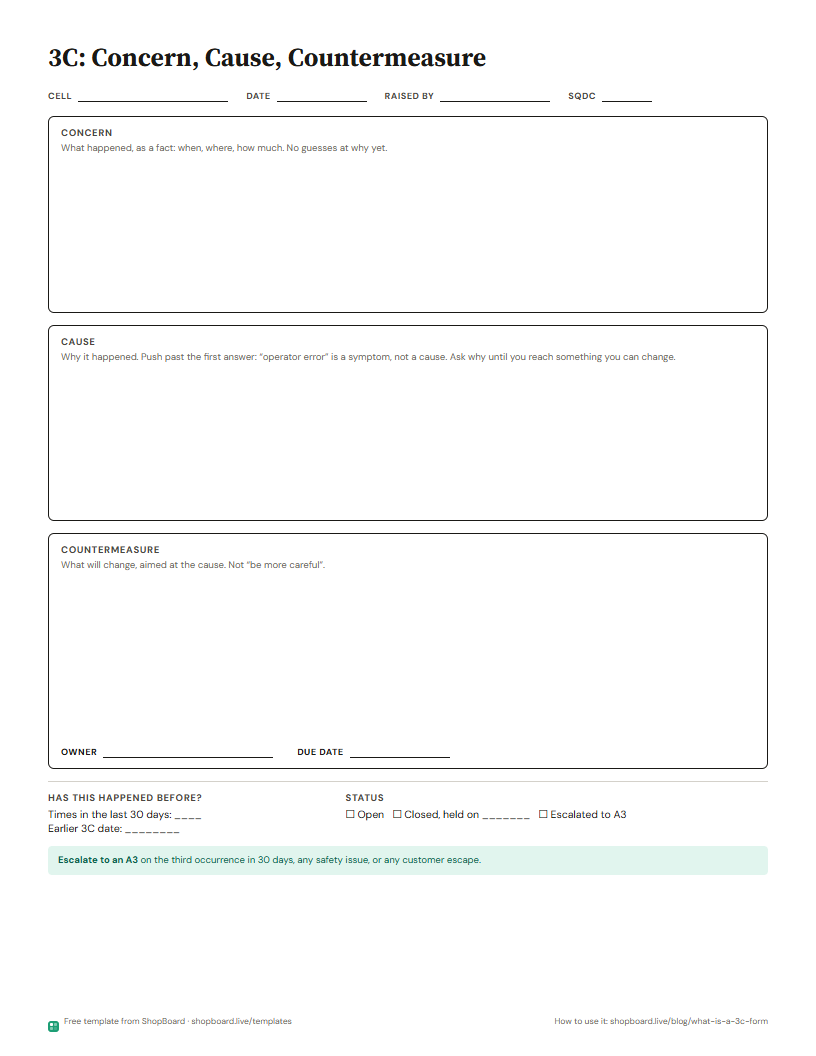
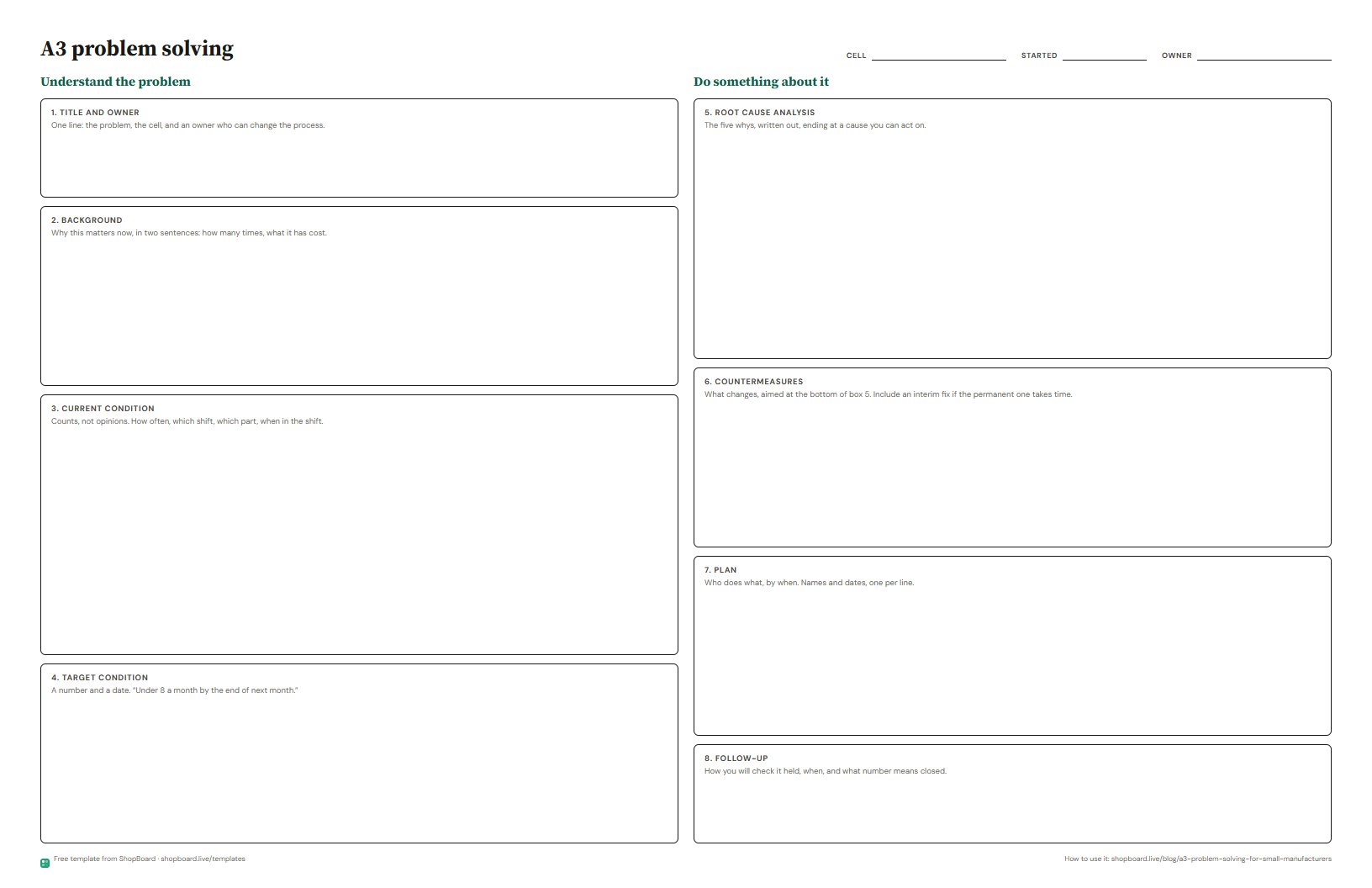
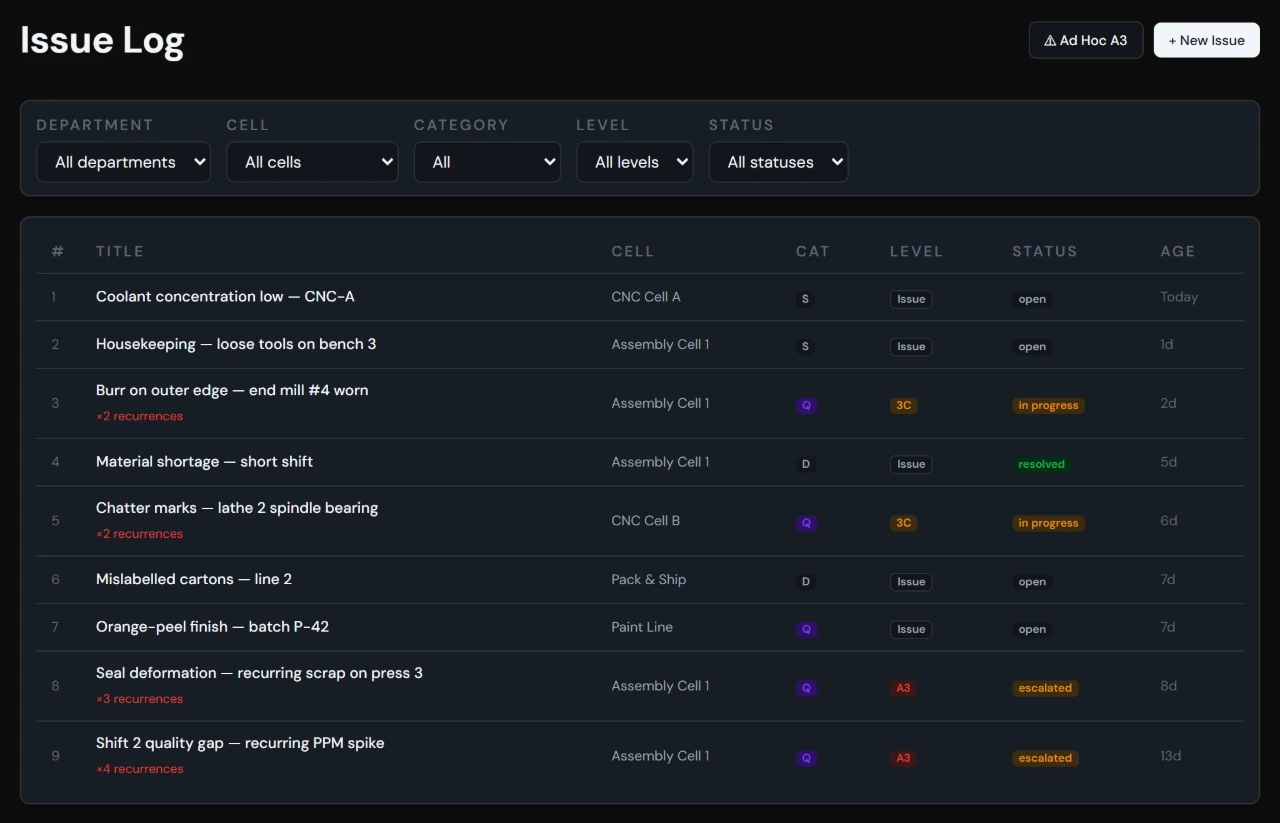
Log the problem from the board. A supervisor turns it into a 3C: concern, cause, countermeasure, due date. When the 3C doesn't hold, escalate it to an A3 with a fishbone and 5-Why.
Log each scrapped part with quantity, reason and disposition. Pick the part from your list and the cost fills in. The Pareto ranks reasons and part numbers by dollars.
Switch any cell board to Wall and it fills the screen: big numbers, the hour-by-hour, open issues. The cards and issues refresh every minute and the mouse hides, so it can run all shift.
Open it on a 3C or A3 field. It reads the cell's recent numbers and how past issues in that category were fixed, then asks questions instead of handing you an answer.
Each role looks for something different. Here's what each one sees.
Enters the hour's actual and watches the running gap. A miss at 9 gets an issue logged before 10, not a note at the end of the shift.
Read: The 10-Minute Morning Huddle: What Actually Gets Covered →Goes through the department from one screen: which cells have a red letter, which hours slipped, and what's open at 3C.
Read: 5 Signs Your Daily Management Board Has Become Theater →Opens the facility board before walking the floor: open issues plant-wide, what's at 3C and A3, and which department has a red letter.
Read: What a GM Actually Looks at at 6 AM →Sees which problems keep coming back, how many times, and which 3Cs need to become an A3.
Read: A3 Problem Solving for Small Manufacturers: A Guide Without the Consultant-Speak →Set up a cell, track it hour by hour, and escalate what keeps coming back.
Name a cell, set its shift times and takt. Add departments and more cells as you grow.
Every shift, every hour. Production vs. plan with the running gap worked out for you, on status boards anyone can read.
Log a problem as an issue. Give it a 3C when it needs a cause and a countermeasure, and an A3 when it keeps coming back.
Six cells across three departments, on sample data. Nothing you change saves, so try anything.
One monthly price per plan, not per user.
Plain-English guides to SQDC boards, hour-by-hour, 3C and A3, from a GM who runs them every morning.
Three plant manager daily metrics decide whether today needs you: yesterday's safety, the biggest delivery gap and its owner, and the first hour. Five minutes.
A week-by-week plan for how to start daily management in one cell, what to add each week, what good looks like at day 30, and where week two usually breaks.
Most scrap reason code lists are too long to use at the machine. Here's how to build a short one with operators, an example 8-code list, and keep it honest.
A TV fixes what people can see, not who owns the red. Here's what an SQDC board on a wall display gets you, what it won't, and the mounting details that matter.
Free PDFs laid out the way the guides explain them. Print one, tape it up, start tomorrow. No email asked.
No install and no server. ShopBoard runs in a web browser. Wall view puts a department board on a floor TV from any computer with a browser, and refreshes every minute. If your network only allows approved sites, IT adds two web addresses.
Yes, as CSV files. In Settings you can import cells and targets, daily SQDC, hour-by-hour, issues, your team and a parts list. Match our column headers and load the file. Plan limits on cells and users still apply. Scrap history doesn't import.
Anyone signed in clicks an hour that has started and types the actual, on a desk or on the cell's TV in Wall view. On Free, keep the cell's screen signed in to your account. Starter gives up to 5 people their own login; Professional gives everyone one.
On Supabase servers in the US, on a paid plan with daily backups. Only people you add to your account can see your boards. We don't sell your data or use it for ads. Email us any time for a copy, or to have it deleted.
No. ShopBoard trains no models. The AI Lean Coach (Professional and up) sends nothing until someone clicks it. Then that 3C or A3, the cell and department, a summary of recent results, and how a few past issues of the same kind were fixed go to Anthropic, whose API terms bar training on it.
Free doesn't expire. Starter is $199 a month for 3 departments, 10 cells and 5 users. Professional is $499 a month for unlimited departments, cells and users, plus the AI Lean Coach. Upgrade from the billing page. Your boards and history carry over.
Yes. An admin cancels from the billing page. If ShopBoard isn't working for you, email us within 30 days of your first payment and we refund that payment in full. No partial refunds after that.
Email hello@shopboard.live and the founder answers, usually within one business day. Professional gets a same-day reply. The founder's own 150-person machining and assembly plant runs ShopBoard every morning.